Components · Form Controls
Radio Group
StableSince v0.0.1
Group of mutually exclusive radio inputs.
import { RadioGroup } from '@nexub/react';Examples
Default
Horizontal
Props
| Prop | Type | Default | Description |
|---|---|---|---|
| RadioGroup.Root | compound | — | Root provider that manages selection state. |
| RadioGroup.Item | compound | — | Individual radio option within the group. |
| value | string | — | The controlled selected value. |
| defaultValue | string | — | The initial selected value when uncontrolled. |
| onValueChange | (value: string) => void | — | Callback fired when the selection changes. |
| disabled | boolean | — | Disables all items in the group. |
| orientation | 'horizontal' | 'vertical' | — | Layout orientation of the radio items. |
On iOS & Android: RadioGroup
@nexub/react-nativeAlpha
import { RadioGroup } from '@nexub/react-native';

<RadioGroup label="Speed" defaultValue="standard">
  <Radio value="standard" label="Standard" description="1–2 days" />
  <Radio value="instant" label="Instant" description="S$0.50" />
</RadioGroup>
Web vs mobile
Same tokens and prop names. Where the platforms differ:
| Web | iOS & Android | |
|---|---|---|
| Label | Compose Label + control + HelperText (or FormField). | One component: label, helperText and error are props. |
Interactive preview of @nexub/react-native rendered for the web. Native chrome (switches, pickers, Liquid Glass) looks like the platform on a device.
On device
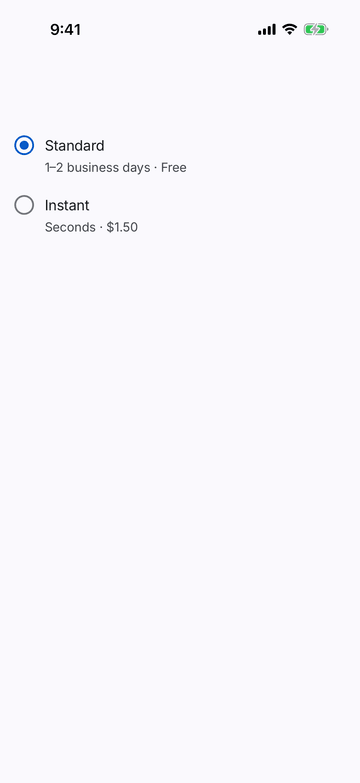
iPhone (iOS simulator)
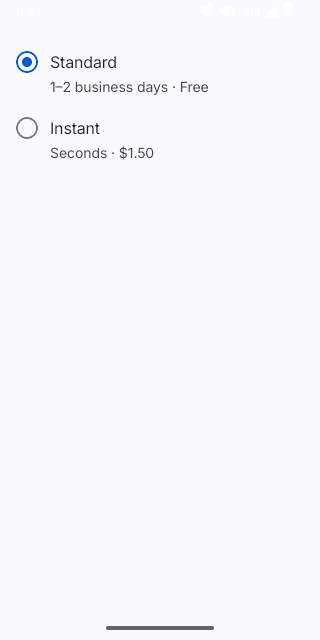
Pixel (Android emulator)
Screenshots from the latest CI run of the showcase app; the live frame renders the same code for the web.
RadioGroup props
| Prop | Type | Default | Description |
|---|---|---|---|
| labelrequired | string | — | Accessible name of the group. |
| value | string | — | — |
| defaultValue | string | — | — |
| onValueChange | (value: string) => void | — | — |
| disabled | boolean | — | — |
| childrenrequired | React.ReactNode | — | — |
| style | StyleProp<ViewStyle> | — | — |