Components · Labels & Badges
Badge
Small status indicator or label. Communicates state, category, or count.
import { Badge } from '@nexub/react';Usage
Labelling a status, category, or tag on an item
Showing a count or numeric indicator alongside an element
Highlighting new, featured, or updated content
Communicating a stage in a workflow (draft, published, archived)
Interactive filtering — use FilterChip or Chip instead
Long text labels that exceed 2–3 words
Critical alerts requiring user action — use Alert or Toast
Replacing a button — badges are non-interactive by design
Playground
Playground
Live<Badge variant="soft" tone="neutral">Badge</Badge>Examples
Tones
Variants
With leading dot
Variant matrix
| tone ↓ / variant → | solid | soft | outline |
|---|---|---|---|
| success | Badge | Badge | Badge |
| danger | Badge | Badge | Badge |
| warning | Badge | Badge | Badge |
| info | Badge | Badge | Badge |
| neutral | Badge | Badge | Badge |
Props
| Prop | Type | Default | Description |
|---|---|---|---|
| variant | 'solid' | 'soft' | 'outline' | 'solid' | Visual fill style. |
| tone | 'success' | 'danger' | 'warning' | 'info' | 'neutral' | 'neutral' | Semantic color tone. |
| size | 'sm' | 'md' | 'lg' | 'md' | Badge size. |
| leadingIcon | React.ReactNode | — | Icon or dot rendered before the label. |
Accessibility
ARIA roles
Keyboard
- —
Badges are non-interactive and have no keyboard handlers.
Focus
Skipped in tab order. Decorative — never trap focus on a Badge.
Screen reader
Reads as inline text. For live status changes, wrap in an element with `role="status"` and `aria-live="polite"`.
Notes
For interactive equivalents (filtering, dismissing) reach for `Chip` or `FilterChip`.
On iOS & Android: Badge
import { Badge } from '@nexub/react-native';

<Badge tone="success" variant="soft" dot>Paid</Badge>
Web vs mobile
Same tokens and prop names. Where the platforms differ:
| Web | iOS & Android | |
|---|---|---|
| Dot | Use leadingIcon for a dot. | dot renders a status dot; covers web’s deprecated Tag and StatusPill. |
| Sizes | sm, md, lg. | sm, md. |
Interactive preview of @nexub/react-native rendered for the web. Native chrome (switches, pickers, Liquid Glass) looks like the platform on a device.
On device
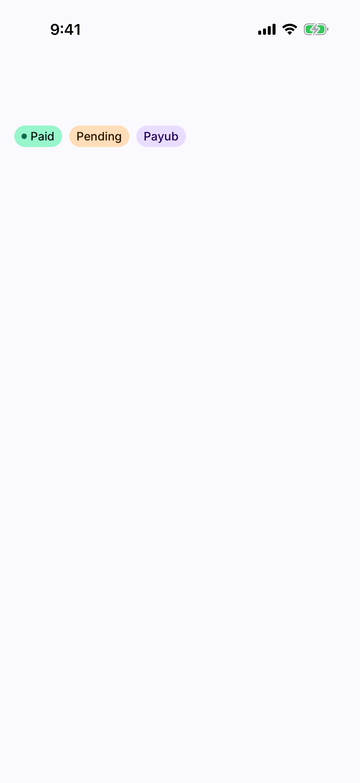
iPhone (iOS simulator)
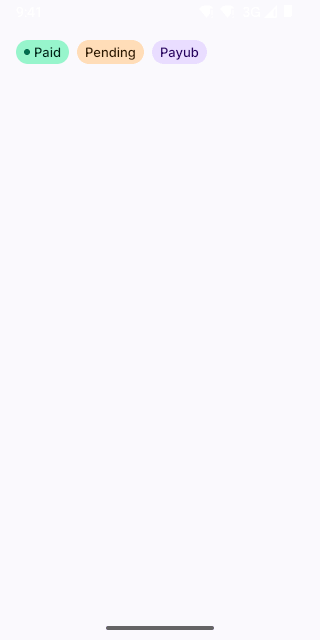
Pixel (Android emulator)
Screenshots from the latest CI run of the showcase app; the live frame renders the same code for the web.
Badge props
| Prop | Type | Default | Description |
|---|---|---|---|
| children | string | number | — | — |
| tone | ToneValue | 'neutral' | — |
| variant | 'solid' | 'soft' | 'outline' | 'soft' | — |
| size | 'sm' | 'md' | — | — |
| dot | boolean | — | A status dot before the label (replaces web StatusPill). |
| leadingIcon | React.ComponentType<NativeIconProps> | — | — |