Components · Feedback
Banner
DeprecatedSince v0.0.1
Deprecated — use Alert. Full-width announcement banner, typically used at the top of a page.
Deprecated — removal planned in 3.0
Use Alert instead:
<Alert> has the same props (tone, title, icon, action, onClose), so rename the element. Banner keeps working, unchanged, until 3.0.import { Banner } from '@nexub/react';Examples
Default
With action
Props
| Prop | Type | Default | Description |
|---|---|---|---|
| tone | 'neutral' | 'info' | 'success' | 'warning' | 'danger' | — | Semantic colour tone of the banner. |
| action | ReactNode | — | Action element (e.g. a button or link) rendered to the right of the content. |
| onClose | () => void | — | When provided, renders a close button that dismisses the banner. |
On iOS & Android: Banner
@nexub/react-nativeAlpha
import { Banner } from '@nexub/react-native';

<Banner tone="warning" title="Verify your identity" action={<Button variant="text" onPress={verify}>Start</Button>} />
Web vs mobile
Same tokens and prop names. Where the platforms differ:
| Web | iOS & Android | |
|---|---|---|
| Scope | Banner, Alert and Callout. | Banner covers all three. |
Interactive preview of @nexub/react-native rendered for the web. Native chrome (switches, pickers, Liquid Glass) looks like the platform on a device.
On device
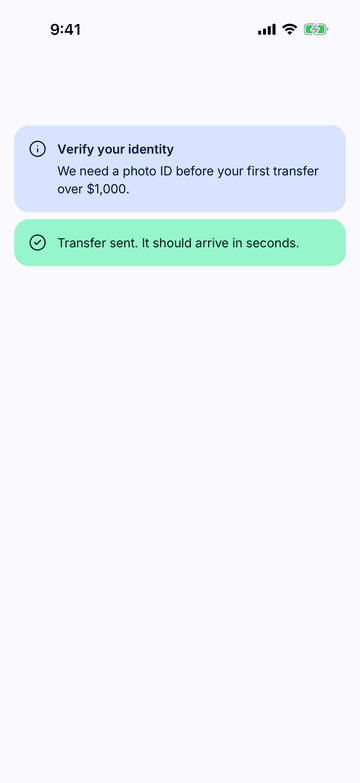
iPhone (iOS simulator)
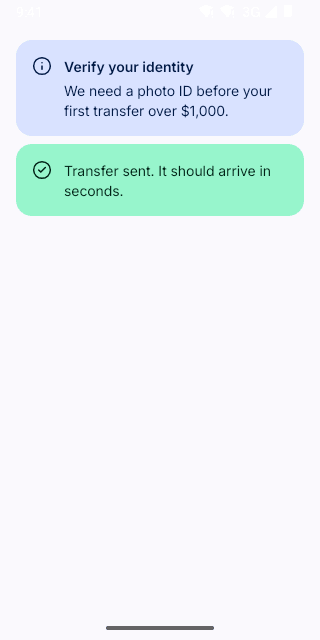
Pixel (Android emulator)
Screenshots from the latest CI run of the showcase app; the live frame renders the same code for the web.
Banner props
| Prop | Type | Default | Description |
|---|---|---|---|
| title | string | — | — |
| children | React.ReactNode | — | — |
| tone | ToneValue | — | — |
| action | React.ReactNode | — | One action, e.g. <Button variant="text">Review</Button>. |
| onDismiss | () => void | — | — |