Components · Data Display
Empty State
StableSince v0.0.1
Placeholder UI shown when a list or page has no content.
import { EmptyState } from '@nexub/react';Examples
Default
Custom illustration
Props
| Prop | Type | Default | Description |
|---|---|---|---|
| EmptyState.Root layout | 'centered' | 'inline' | 'centered' | "centered" stacks content vertically in the middle of its container; "inline" aligns content to the start. |
| EmptyState.Illustration children | React.ReactNode | — | Icon or SVG illustration to render above the title. |
| EmptyState.Title childrenrequired | React.ReactNode | — | Primary heading text for the empty state. |
| EmptyState.Description children | React.ReactNode | — | Supporting text providing more context or guidance. |
| EmptyState.Actions children | React.ReactNode | — | One or more action buttons rendered below the description. |
On iOS & Android: EmptyState
@nexub/react-nativeAlpha
import { EmptyState } from '@nexub/react-native';

<EmptyState title="No transactions yet" action={<Button onPress={topUp}>Add money</Button>} />Interactive preview of @nexub/react-native rendered for the web. Native chrome (switches, pickers, Liquid Glass) looks like the platform on a device.
On device
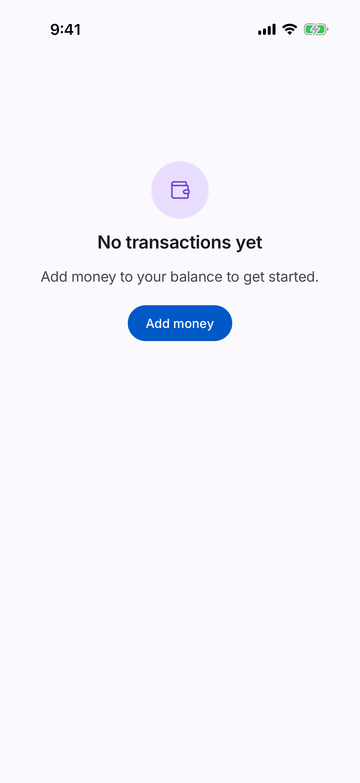
iPhone (iOS simulator)
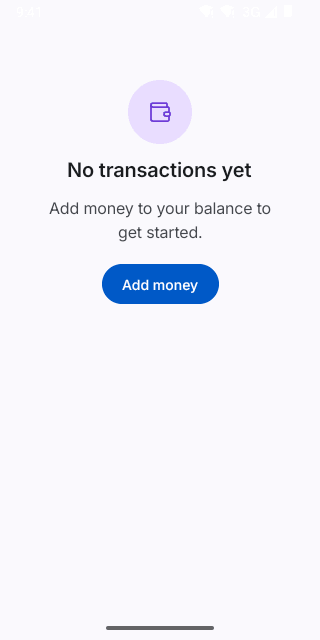
Pixel (Android emulator)
Screenshots from the latest CI run of the showcase app; the live frame renders the same code for the web.
EmptyState props
| Prop | Type | Default | Description |
|---|---|---|---|
| titlerequired | string | — | — |
| description | string | — | — |
| icon | React.ComponentType<NativeIconProps> | AlertTriangle | — |
| tone | ToneValue | — | — |
| action | React.ReactNode | — | Primary next step, e.g. <Button>Add money</Button>. |