Components · Actions
Icon Button
StableSince v0.0.1
A square button designed to hold a single icon, with an accessible label.
import { IconButton } from '@nexub/react';Examples
Default
Variants
Props
| Prop | Type | Default | Description |
|---|---|---|---|
| variant | 'ghost' | 'solid' | 'outline' | 'subtle' | 'ghost' | Visual style of the icon button. |
| size | 'xs' | 'sm' | 'md' | 'lg' | 'xl' | 'md' | Controls button dimensions. |
| disabled | boolean | — | Disables the button. |
| loading | boolean | — | Shows a spinner and disables interaction. |
| asChild | boolean | — | Merges props onto the immediate child element (Radix Slot). |
On iOS & Android: IconButton
@nexub/react-nativeAlpha
import { IconButton } from '@nexub/react-native';

<IconButton icon={Heart} label="Save" selected={saved} onPress={toggle} />
Web vs mobile
Same tokens and prop names. Where the platforms differ:
| Web | iOS & Android | |
|---|---|---|
| Icon | Icon element as children. | icon prop takes an icon component. |
| Toggle | Use Toggle for a pressed state. | selected gives a toggle with the selected container. |
| Hit area | Visual size; xs/sm controls meet WCAG 2.5.8 (24px). | Always 44pt, extended with hitSlop when the visual is smaller. |
Interactive preview of @nexub/react-native rendered for the web. Native chrome (switches, pickers, Liquid Glass) looks like the platform on a device.
On device
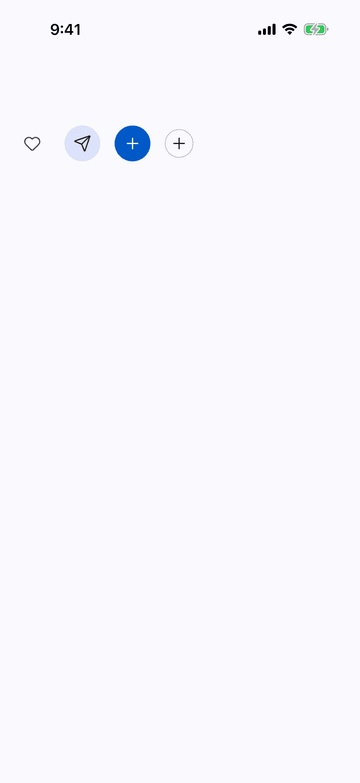
iPhone (iOS simulator)
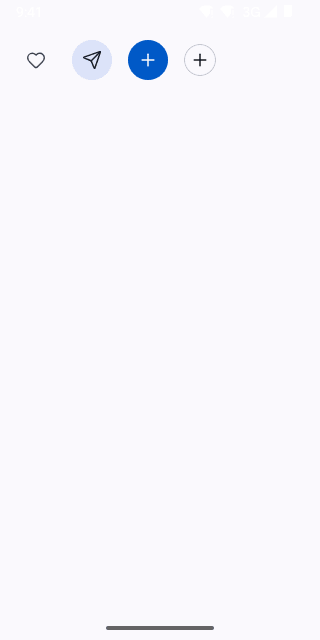
Pixel (Android emulator)
Screenshots from the latest CI run of the showcase app; the live frame renders the same code for the web.
IconButton props
| Prop | Type | Default | Description |
|---|---|---|---|
| iconrequired | React.ComponentType<NativeIconProps> | — | — |
| labelrequired | string | — | Required: the accessible name (what it does, not "button"). |
| variant | 'filled' | 'tonal' | 'outlined' | 'text' | 'glass' | — | — |
| tone | ToneValue | — | — |
| size | ControlSize | 'md' | — |
| selected | boolean | — | Toggle state for icon toggles (favourite, mute). |
| haptic | 'selection' | 'toggleOn' | 'toggleOff' | 'confirm' | 'reject' | 'warning' | 'snap' | — | — |