Components · Actions
Button
Triggers an action or event. Supports multiple variants, sizes, and semantic tones.
import { Button } from '@nexub/react';Usage
Triggering a primary or secondary action (submit, save, confirm)
Navigating users to another page or step in a flow
Opening a dialog, drawer, or modal overlay
Destructive actions that need a visible, labelled control
Inline text navigation — use a Link instead
Icon-only controls — use IconButton for touch target compliance
Selecting among multiple options — use ToggleGroup or SegmentedControl
Passive information display with no action
Playground
Playground
Live<Button variant="primary" size="md">Click me</Button>Examples
Default
Variants
Sizes
States
Async
Drive `status` from the request. Each click here moves to the next status.
Variant matrix
| variant ↓ / size → | xs | sm | md | lg | xl |
|---|---|---|---|---|---|
| primary | |||||
| outline | |||||
| ghost | |||||
| subtle | |||||
| link |
Props
| Prop | Type | Default | Description |
|---|---|---|---|
| variant | 'filled' | 'tonal' | 'outlined' | 'text' | 'glass' | 'subtle' | 'link' | 'destructive' | 'accent' | 'primary' | Visual style of the button. Legacy aliases still work: primary = filled, secondary = tonal, outline = outlined, ghost = text. |
| size | 'xs' | 'sm' | 'md' | 'lg' | 'xl' | 'md' | Control height and padding. |
| status | 'idle' | 'loading' | 'success' | 'error' | 'idle' | Async feedback (beta, 1.7.0). loading shows a spinner and blocks clicks but keeps focus; success draws a check; error shakes once. The label stays in flow, so the width holds. |
| loading | boolean | false | Alias for status="loading". |
| loadingLabel | string | 'Loading' | Announced when status becomes loading. |
| successLabel | string | 'Done' | Announced on success. When set, it also replaces the visible label (with a check) instead of showing the check alone. |
| errorLabel | string | 'Something went wrong' | Announced on error. |
| disabled | boolean | false | Disables the button. |
| fullWidth | boolean | false | Stretches the button to fill its container. |
| leadingIcon | React.ReactNode | — | Icon rendered before the label. |
| trailingIcon | React.ReactNode | — | Icon rendered after the label. |
| tone | 'neutral' | 'info' | 'success' | 'warning' | 'danger' | — | Semantic colour tone — overrides the variant colour with a semantic palette. |
| asChild | boolean | false | Merges props onto the immediate child element (Radix Slot). status and loading have no effect with asChild. |
Accessibility
ARIA roles
Keyboard
- Space
Activates the focused button.
- Enter
Activates the focused button.
- Tab
Moves focus to the button in document order.
Focus
Receives focus in document order; `disabled` removes it from the tab sequence.
Visible focus ring uses `--color-border-focus` and meets WCAG 2.4.7 contrast.
Screen reader
Announces the visible label plus the implicit "button" role.
While loading the button sets `aria-busy` and `aria-disabled` (not `disabled`), so focus stays on it and clicks are ignored.
A button with `status` or `loading` renders a polite `role="status"` region next to it that announces `loadingLabel`, `successLabel` or `errorLabel` as the status changes.
Notes
Pair icon-only triggers with `IconButton` for a 44×44 touch target.
On iOS & Android: Button
import { Button } from '@nexub/react-native';
import { Send } from '@nexub/icons/native';

<Button size="lg" leadingIcon={Send} onPress={send} loading={sending}>
  Send money
</Button>
Web vs mobile
Same tokens and prop names. Where the platforms differ:
| Web | iOS & Android | |
|---|---|---|
| Variants | filled, tonal, outlined, text, glass, plus subtle, link, destructive, accent. | filled, tonal, outlined, text, glass. Use tone="danger" for destructive. |
| Icons | Icon elements as children or leadingIcon. | leadingIcon / trailingIcon take an icon component from @nexub/icons/native. |
| Primary action size | md (40px) by default. | Use lg (48pt) for the main action on a screen. |
| Feedback | Hover and focus state layers; press scales to 0.97. | Pressed state layer, 0.97 press spring, semantic haptic. No hover. |
| Hit area | Visual size; xs/sm controls meet WCAG 2.5.8 (24px). | Always 44pt, extended with hitSlop when the visual is smaller. |
Interactive preview of @nexub/react-native rendered for the web. Native chrome (switches, pickers, Liquid Glass) looks like the platform on a device.
On device
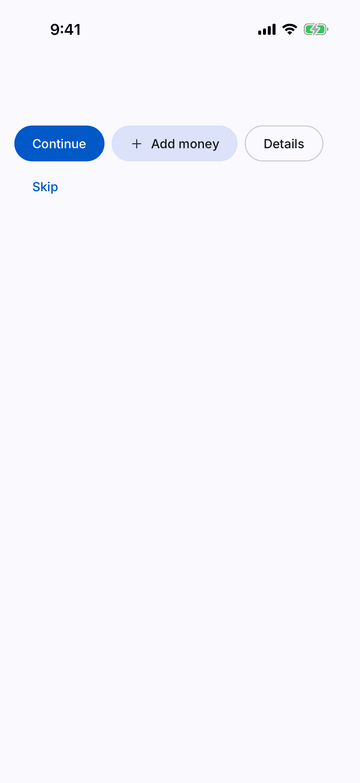
iPhone (iOS simulator)
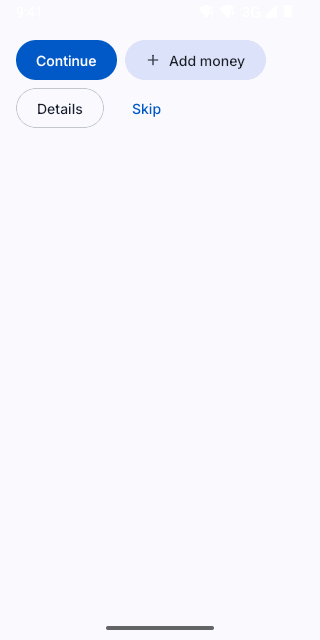
Pixel (Android emulator)
Screenshots from the latest CI run of the showcase app; the live frame renders the same code for the web.
Button props
| Prop | Type | Default | Description |
|---|---|---|---|
| childrenrequired | React.ReactNode | — | — |
| variant | 'filled' | 'tonal' | 'outlined' | 'text' | 'glass' | — | — |
| tone | ToneValue | — | Solid semantic or product colour (overrides the variant colour). |
| size | ControlSize | 'md' | The control ladder. Primary actions on mobile use 'lg' (48). |
| loading | boolean | — | Shows a spinner, blocks presses and announces loadingLabel. |
| loadingLabel | string | — | — |
| fullWidth | boolean | — | — |
| leadingIcon | React.ComponentType<NativeIconProps> | — | — |
| trailingIcon | React.ComponentType<NativeIconProps> | — | — |