Components · Form & Input
Date Picker
StableSince v0.0.1
Calendar date picker with text input.
import { DatePicker } from '@nexub/react';Examples
Default
With value
With constraints
Props
| Prop | Type | Default | Description |
|---|---|---|---|
| value | Date | undefined | — | Controlled selected date value. |
| onChange | (date: Date | undefined) => void | — | Callback invoked when the selected date changes. |
| locale | Locale (date-fns) | — | Month and weekday names, week start and the trigger format. Defaults to the NexubProvider dateLocale; the calendar also follows the provider dir, so arrows flip in RTL. |
| placeholder | string | 'Pick a date' | Placeholder text displayed in the input when no date is selected. |
| disabled | boolean | false | Disables the date picker input and calendar. |
| minDate | Date | — | Earliest selectable date. Dates before this are greyed out. |
| maxDate | Date | — | Latest selectable date. Dates after this are greyed out. |
| format | string | 'dd/MM/yyyy' | Date format string for the text input display. |
| aria-label | string | — | Field name for screen readers; the selected value is appended. |
| id | string | — | Id for the trigger button, e.g. to pair with a <label htmlFor>. |
| error | string | — | Error message displayed below the input. |
On iOS & Android: DateTimeField
@nexub/react-nativeAlpha
import { DateTimeField } from '@nexub/react-native';

<DateTimeField label="Date of birth" value={dob} onValueChange={setDob} mode="date" />
Web vs mobile
Same tokens and prop names. Where the platforms differ:
| Web | iOS & Android | |
|---|---|---|
| Picker | Nexub calendar popover. | The platform date/time picker (needs @react-native-community/datetimepicker). |
Interactive preview of @nexub/react-native rendered for the web. Native chrome (switches, pickers, Liquid Glass) looks like the platform on a device.
On device
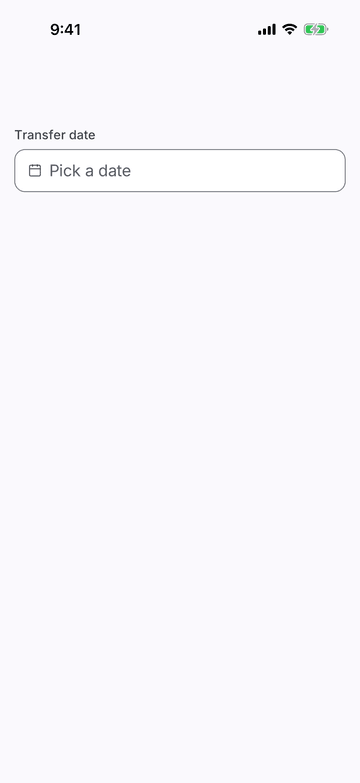
iPhone (iOS simulator)
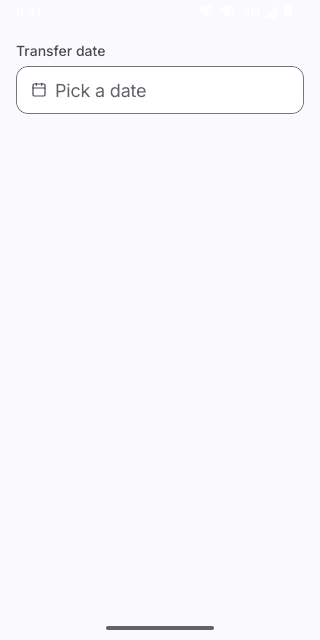
Pixel (Android emulator)
Screenshots from the latest CI run of the showcase app; the live frame renders the same code for the web.
DateTimeField props
| Prop | Type | Default | Description |
|---|---|---|---|
| labelrequired | string | — | — |
| valuerequired | Date | null | — | — |
| onValueChangerequired | (value: Date) => void | — | — |
| mode | 'date' | 'time' | 'date' | — |
| minimumDate | Date | — | — |
| maximumDate | Date | — | — |
| placeholder | string | — | — |
| style | StyleProp<ViewStyle> | — | — |