Components · Form & Input
Input
Text input field for forms. Supports size variants, icons, addons, and validation states.
import { Input } from '@nexub/react';Usage
Capturing short free-form text (name, email, search term)
Single-line data entry within a form
Filtering or searching a list of items
Inline editing of a single value
Multi-line text — use Textarea instead
Choosing from a fixed list of options — use Select or Combobox
Numeric stepping — use NumberInput for increment/decrement control
Passwords — use PasswordInput which toggles visibility
Playground
Playground
Live<Input size="md" placeholder="Enter value…" />Examples
Default
Sizes
Invalid state
With label and helper
Props
| Prop | Type | Default | Description |
|---|---|---|---|
| size | 'sm' | 'md' | 'lg' | 'md' | Control height and font size. |
| invalid | boolean | false | Applies error ring styling. |
| disabled | boolean | false | Disables the input. |
| placeholder | string | — | Placeholder text. |
| type | string | 'text' | HTML input type attribute. |
| leadingIcon | React.ReactNode | — | Icon rendered at the start of the input. |
| trailingIcon | React.ReactNode | — | Icon rendered at the end of the input. |
| leadingAddon | string | — | Text addon rendered before the input (e.g. "https://"). |
| trailingAddon | string | — | Text addon rendered after the input (e.g. ".com"). |
Accessibility
ARIA roles
Keyboard
- Tab
Moves focus to the input.
- Esc
Browsers may revert recent changes (autofill suggestions).
Focus
Visible focus ring on `:focus-visible`. Pair with a `<Label htmlFor>` so clicking the label moves focus into the field.
Screen reader
`invalid` toggles `aria-invalid="true"` so AT users hear the error state.
Use `aria-describedby` to associate `HelperText` or error messages.
On iOS & Android: TextField
import { TextField } from '@nexub/react-native';

<TextField label="Email" keyboardType="email-address" autoComplete="email" error={errors.email} />
Web vs mobile
Same tokens and prop names. Where the platforms differ:
| Web | iOS & Android | |
|---|---|---|
| Label | Compose Label + control + HelperText (or FormField). | One component: label, helperText and error are props. |
| Keyboard | Browser keyboard. | Pass TextInput props: keyboardType, textContentType, autoComplete for autofill. |
Interactive preview of @nexub/react-native rendered for the web. Native chrome (switches, pickers, Liquid Glass) looks like the platform on a device.
On device
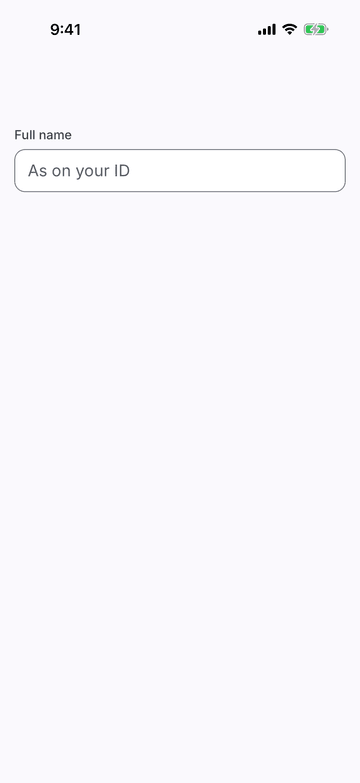
iPhone (iOS simulator)
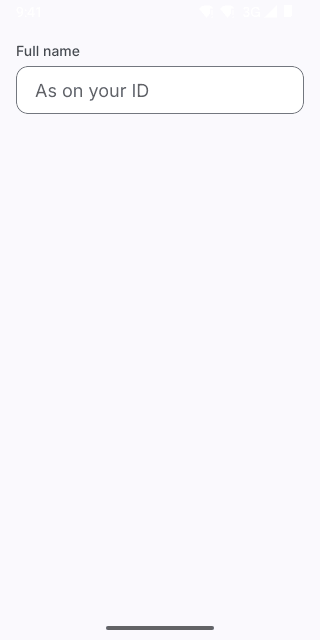
Pixel (Android emulator)
Screenshots from the latest CI run of the showcase app; the live frame renders the same code for the web.
TextField props
| Prop | Type | Default | Description |
|---|---|---|---|
| ref | React.Ref<React.ComponentRef<typeof TextInput>> | — | — |
| labelrequired | string | — | Visible label above the field (also its accessible name). |
| helperText | string | — | Hint under the field. Replaced by error when set. |
| error | string | — | Error message: red outline, announced, replaces the helper text. |
| disabled | boolean | — | — |
| size | Extract<ControlSize, 'md' | 'lg' | 'xl'> | 'lg' | — |
| leading | React.ReactNode | — | — |
| trailing | React.ReactNode | — | — |
| style | StyleProp<ViewStyle> | — | — |