Patterns · Layout
List Detail
Since v1.5.0
The list-detail layout: side by side at 720px+ of its own width (a container query), one pane at a time below.
import { ListDetail } from '@nexub/patterns';Examples
Default
Props
| Prop | Type | Default | Description |
|---|---|---|---|
| list / detailrequired | ReactNode | — | The two panes. |
| showDetail | boolean | false | When narrow, show the detail instead of the list (set it on selection). |
| onBack | () => void | — | Back button, shown only when narrow. |
| listWidth | 'sm' | 'md' | 'lg' | 'md' | Fixed list width when both panes show (288 / 320 / 400px). |
On iOS & Android: ActivityList + TransactionDetail
@nexub/react-native/patternsAlpha
import { TransactionDetail } from '@nexub/react-native/patterns';

<TransactionDetail transaction={tx} actions={<Button variant="tonal">Split bill</Button>} />
Web vs mobile
Same tokens and prop names. Where the platforms differ:
| Web | iOS & Android | |
|---|---|---|
| Layout | List and detail side by side; stacks on narrow screens. | The list pushes the detail screen onto the navigation stack. |
Interactive preview of @nexub/react-native rendered for the web. Native chrome (switches, pickers, Liquid Glass) looks like the platform on a device.
On device
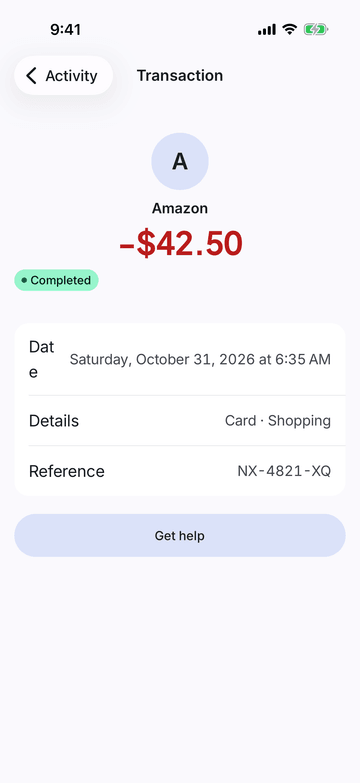
iPhone (iOS simulator)
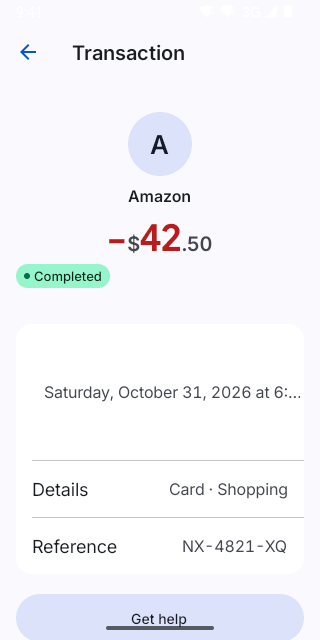
Pixel (Android emulator)
Screenshots from the latest CI run of the showcase app; the live frame renders the same code for the web.
ActivityList props
| Prop | Type | Default | Description |
|---|---|---|---|
| transactionsrequired | Transaction[] | — | — |
| onPress | (t: Transaction) => void | — | — |
| onRefresh | () => void | — | — |
| refreshing | boolean | false | — |
| onEndReached | () => void | — | — |
| actions | (t: Transaction) => SwipeAction[] | — | Swipe actions per row (also accessibility actions). |
| header | React.ReactElement | — | — |
| empty | React.ReactElement | — | — |