Patterns · Navigation
StepIndicator
Since v0.0.1
Visual progress indicator for multi-step flows like onboarding or checkout.
import { StepIndicator } from '@nexub/patterns';Examples
Default
Props
| Prop | Type | Default | Description |
|---|---|---|---|
| stepsrequired | StepIndicatorStep[] | — | Array of step definitions. |
| currentSteprequired | number | — | Zero-based index of the active step. |
| orientation | 'horizontal' | 'vertical' | 'horizontal' | Layout direction. |
On iOS & Android: FlowStep
@nexub/react-native/patternsAlpha
import { FlowStep } from '@nexub/react-native/patterns';

<FlowStep step={2} total={3} title="Review" footer={<Button size="lg">Send</Button>}>…</FlowStep>
Web vs mobile
Same tokens and prop names. Where the platforms differ:
| Web | iOS & Android | |
|---|---|---|
| Progress | Numbered steps you can see at once. | One step per screen with "Step 2 of 3" and the action in the footer. |
Interactive preview of @nexub/react-native rendered for the web. Native chrome (switches, pickers, Liquid Glass) looks like the platform on a device.
On device
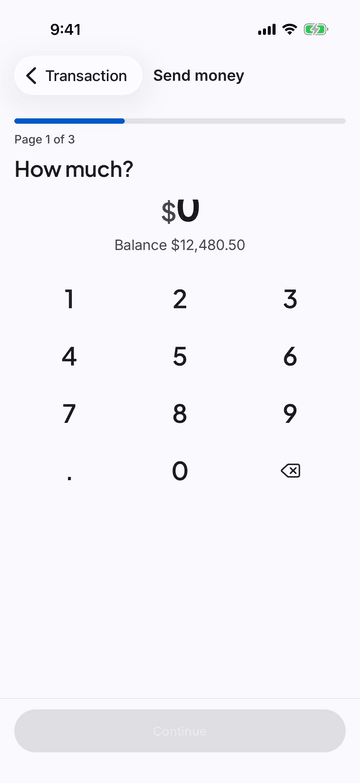
iPhone (iOS simulator)
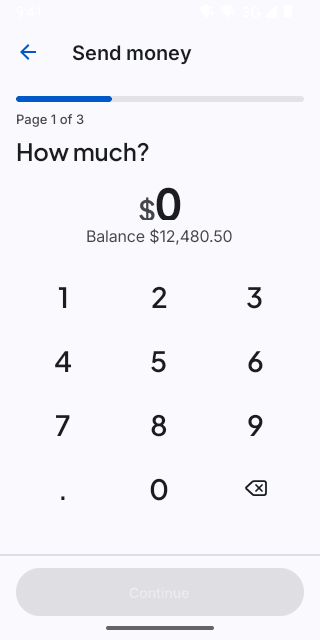
Pixel (Android emulator)
Screenshots from the latest CI run of the showcase app; the live frame renders the same code for the web.
FlowStep props
| Prop | Type | Default | Description |
|---|---|---|---|
| steprequired | number | — | 1-based. |
| totalrequired | number | 3 | — |
| titlerequired | string | — | — |
| childrenrequired | React.ReactNode | — | — |
| footerrequired | React.ReactNode | — | — |